
Welcome to Kotis: Ordering Swag & Program Basics
Kotis partners with you to manage your branded merchandise programs end to end — from product sourcing and design through production, warehousing, and global fulfillment.
This guide outlines how to work with Kotis, what to expect at each step, and how to efficiently manage your program using the MyKotis platform.
Accessing Your MyKotis Dashboard
Your MyKotis dashboard is where you’ll manage projects, view orders, and access reporting.
- Login here: Access MyKotis Dashboard
- Need help logging in? Contact your Kotis team or request support
- You may need to click "Forgot Password" if this is your first time logging in.
What You Can Do in MyKotis
- View product showcases and start new projects
- Track current and past orders
- Approve proofs and pricing
- Monitor inventory and fulfillment programs
- Access program reporting
Platform Overview Video
Your Experience Team
You’ll work with a dedicated Kotis team:
Creative Project Manager (CPM)
- Product sourcing and ideation
- Pricing and supplier management
- Project execution
Platform Success Manager (PSM)
- Program onboarding and training
- Portal builds and optimization
- Inventory and reporting support
How to Start a Project
1. Project Kickoff
To begin, share:
- Project goals and use case
- Target audience (employees, clients, events)
- Estimated quantity
- Date needed by
- Budget (per item or total)
- Shipping logistics (single ship, drop ship, global)
- Portal or distribution requirements
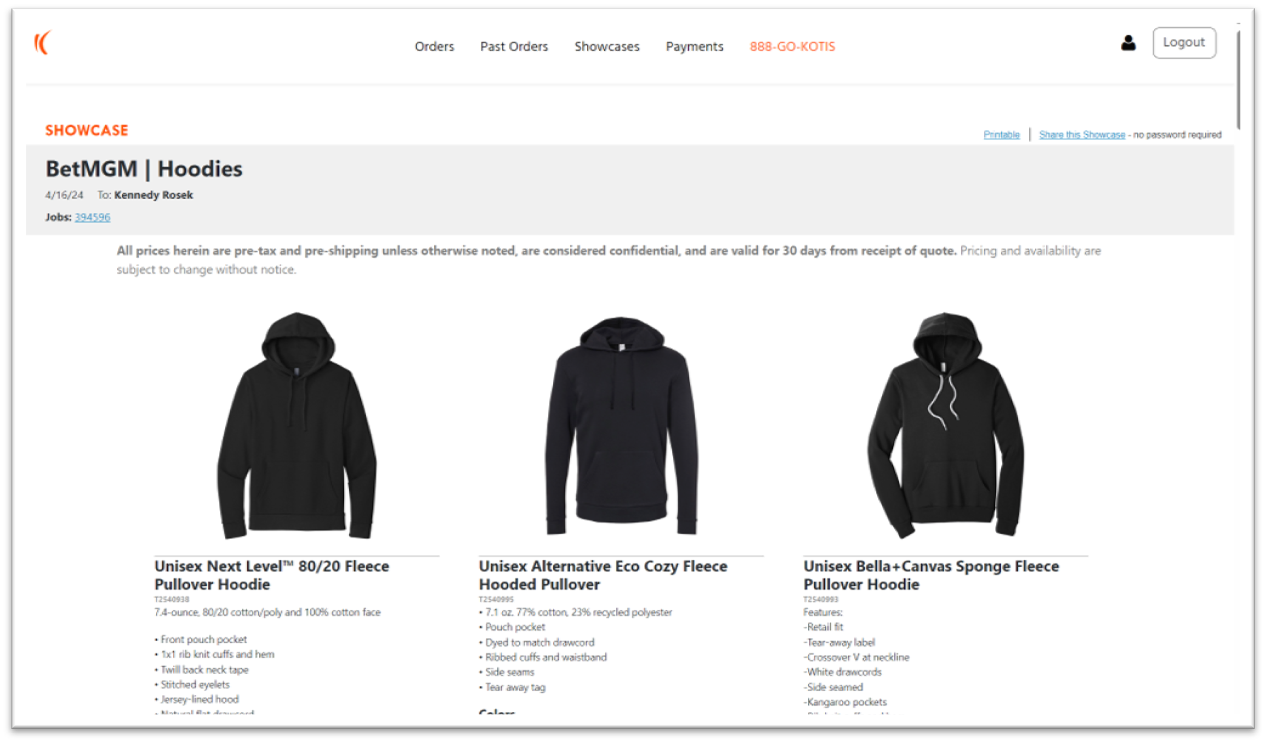
2. Product Showcases
Once submitted:
- Delivered within 1–2 business days
- Includes:
- Curated product options
- MOQs
- Pricing tiers
Showcase Tips
- Use the thumbs up or down feature when hovering over a product to let us know your preferences
- Use "Share the showcase" link on the top right to share with others (no login required)
- Final pricing depends on decoration method, logo complexity, and placement.
3. Starting Your Order
- Start directly in your showcase (“Start a Project”)
- Or email your Project Manager
Design & Approval Process
Mockups & Revisions
- Initial mockups: 1–2 business days
- Revisions: +1–2 business days
Review & Approve
- Review proofs in your dashboard
- Submit feedback directly
- Approve selections and pricing
- Digitally sign to release to production
Important: Orders do not move forward without final approval.
Production & Delivery
Typical Timelines
Pre-Production
- Showcase: 1–2 days
- Mockups: 1–2 days
Production
- Screen print: ~2 weeks
- Embroidery: ~3 weeks
- Fully custom: ~90 days
Shipping
- Domestic: 3–5 business days
- International: 1–3 weeks
Shipping & Fulfillment Options
Single Location Shipping
Bulk shipment to one location
Multi-Recipient Drop Shipping
Storefront Portals
Portal types:
- Internal company stores, non credit card
- Credit card storefronts
- Redemption/gifting experiences (codes or points)
More on portal types & features here
Tip: Program customers get unlimited portal storefronts without additional fees
Inventory, Warehousing & Programs
When using Kotis fulfillment warehousing:
- Products are received, QA’d, and inventoried within 2 business days
Common Use Cases
- Employee onboarding kits
- Client gifting
- Event swag
- Global distribution programs
Kotis manages inventory accuracy and outbound fulfillment on your behalf.
Reporting & Program Insights
Use reporting to manage and optimize your program:
Key Reports
- Sales reporting
- Shipment + shipping cost tracking
- Inventory levels and forecasts
- 12-month product performance
- Fulfillment billing
Reporting Video
- Watch Reporting Overview [kotisdesig...epoint.com]
- More details here
Best Practices for Success
- Plan 4–6 months of inventory at a time - overbuying can cause outdated swag that sits
- Keep branding subtle and prioritize quality items for better engagement
- Join our newsletter for insights, trends and updates