
Set Up Credit Card Payouts
Overview
This guide walks you through how to enable credit card payouts by completing onboarding and linking your organization's bank account.
If you're looking for details on how payouts work, see:
→ Credit Card Payments from End Users
Before You Begin
You'll need:
- ur organization's legal business details
- A valid mobile number for verification
- Your bank account and routing number
Setup Steps
To enable credit card payouts, your organization must establish a Stripe account and connect it to Kotis. If you do not already have an account with them, you will be prompted to create one during setup. There are no fees to create a Stripe account or link it with Kotis.
1. Go to your Program Settings page and click "Manage Credit Card Payouts"
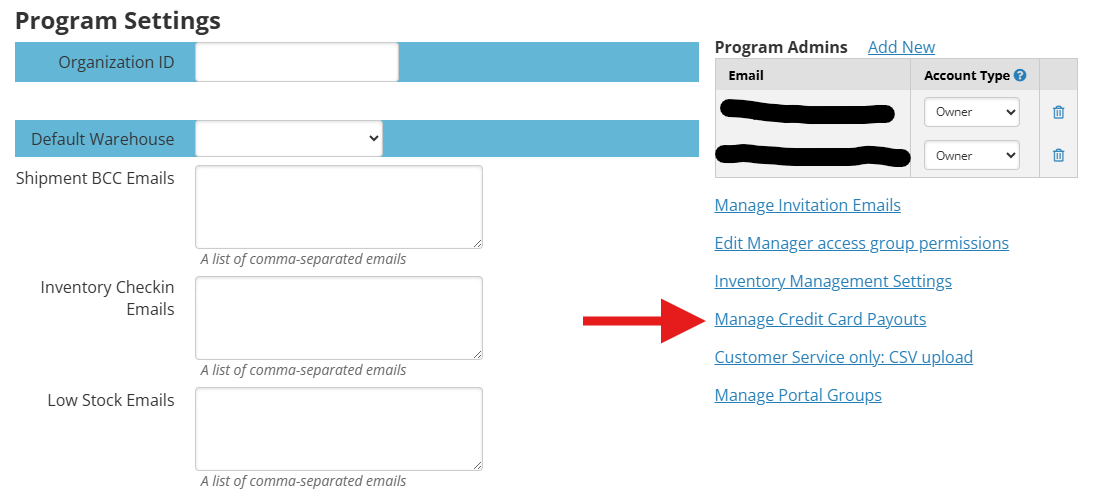
2. Click "Continue Setup".

3. You'll be redirected to Stripe to begin setup. Enter your email and click "Continue."
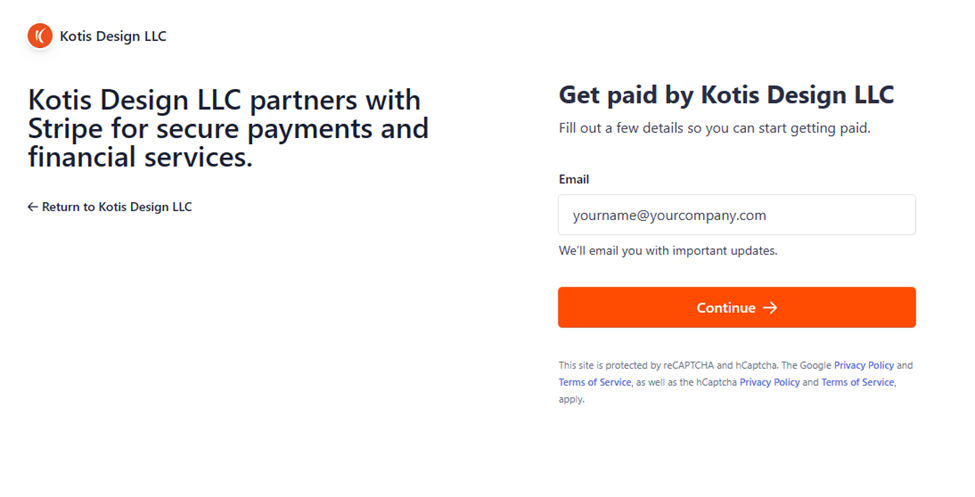
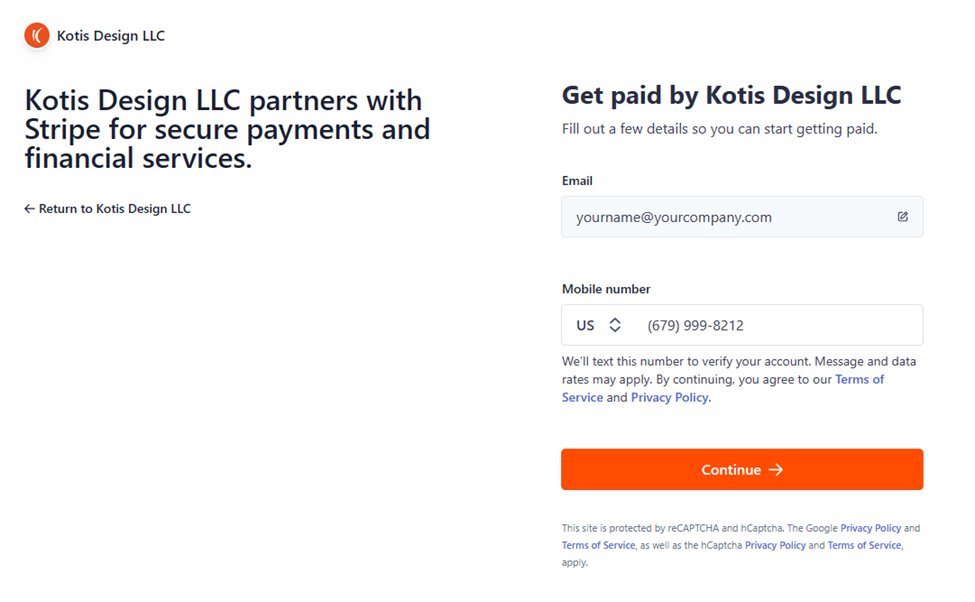
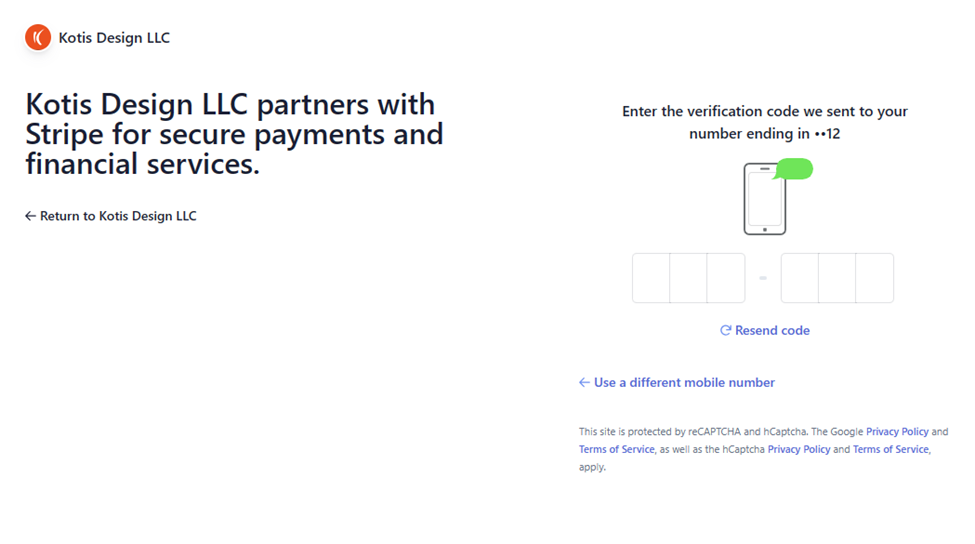
4. Enter your mobile number and verify using the code sent to your phone.
5. Provide your business information:
- Country of operation
- Business type
- Business structure

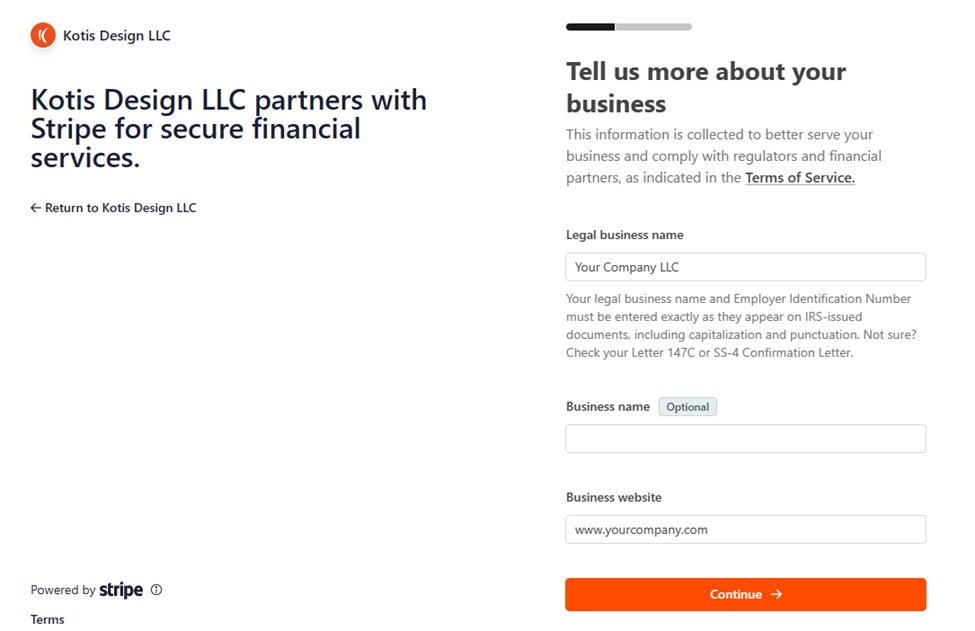
6. Enter your business details:
- Legal business name
- Operating name (if different)
- Website URL
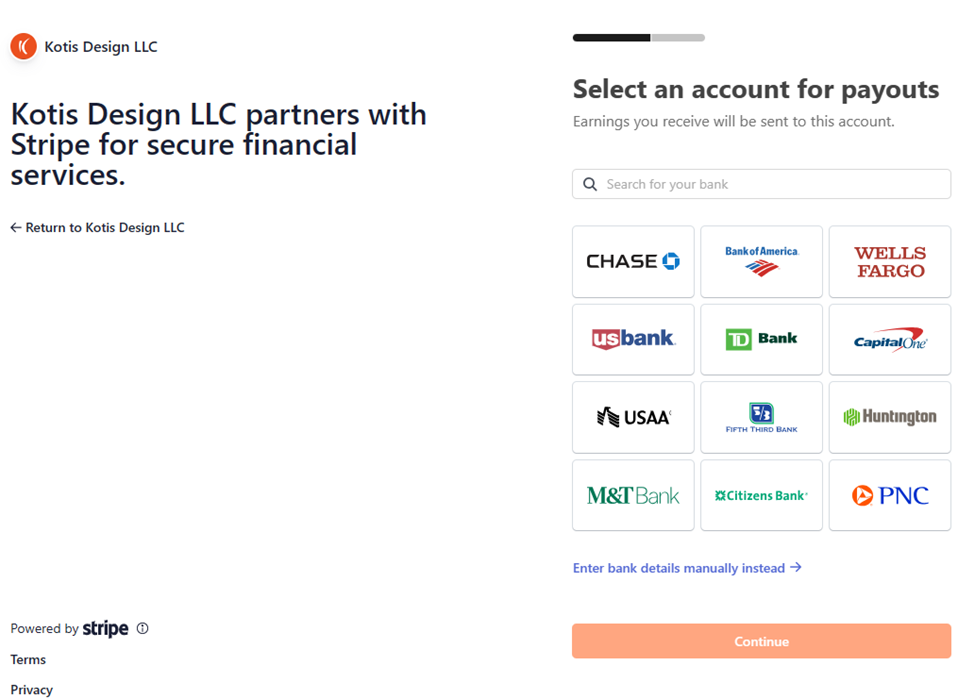
7. Add your bank account:
- Select your institution, or
- Manually enter routing and account numbers
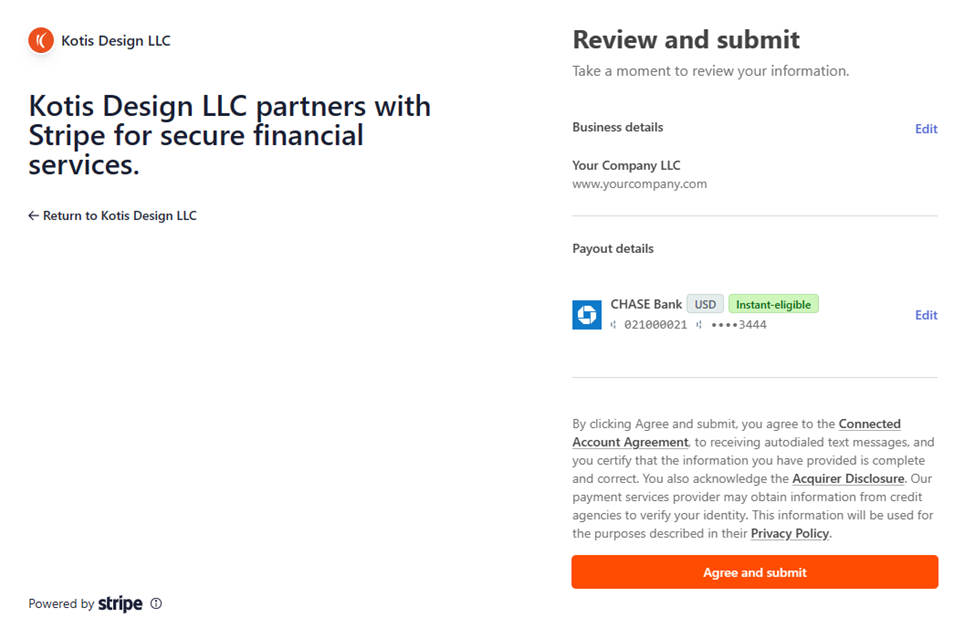
8. Review all information carefully, then click “Agree and submit.”
9. Done! Your account is ready to receive payouts.
Troubleshooting & Support
I'm having trouble logging in or completing setup.
For login or account access issues, contact:
→ support.stripe.com
I need help with something else.
For all other questions, contact your Kotis team. Because your account is connected through Kotis, Stripe may redirect you back to us for support.